
Every app on your Mac, up to date.
Camu checks each app against every source that knows it and updates them all in one click. No account, no tracking, no subscription.
Download for MacFree beta · macOS 12 or later · Apple silicon and Intel

Features
Every source
Sparkle feeds, the Mac App Store, Homebrew, Electron update feeds and developers' own release pages. Camu reports the newest version any of them knows.
Update All
One click updates everything, Homebrew apps included. If an app needs your admin password, you're asked once for the whole batch.
Safe by default
A download only replaces an app if it's signed by the same developer. The old version is backed up first, and Roll back puts it back.
Release notes inline
Read what changed before you update.
Menu bar
The update count lives in your menu bar, with Update All one click away.
Keeps itself current
Camu checks daily and installs its own updates automatically.
Ignore and betas
Skip an app, or opt one into beta versions.
No strings
No account, no analytics, no ads, no subscription.
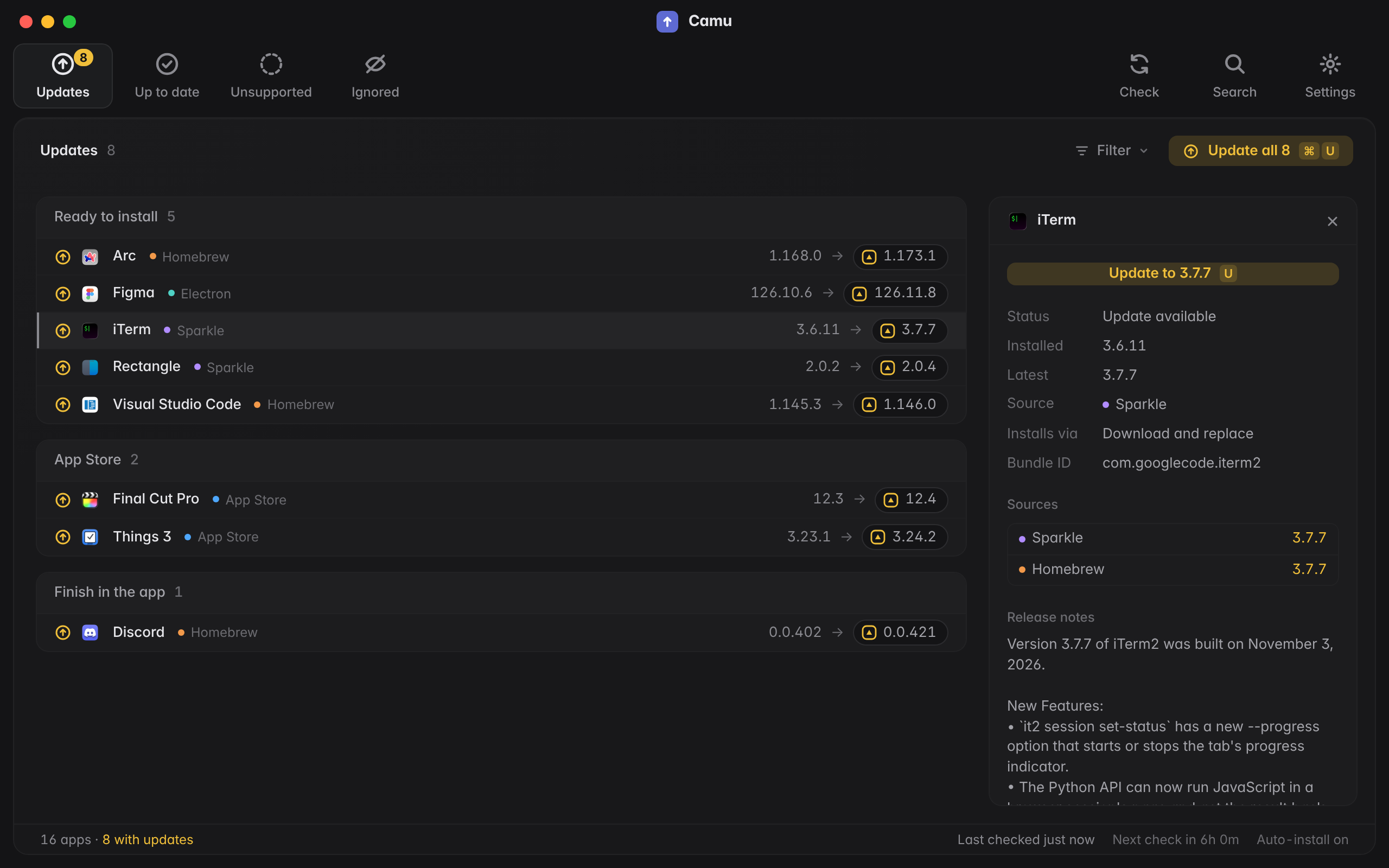
See where every version comes from
Open any app for its installed and latest versions, what each source reported, the release notes and a one-step roll back.
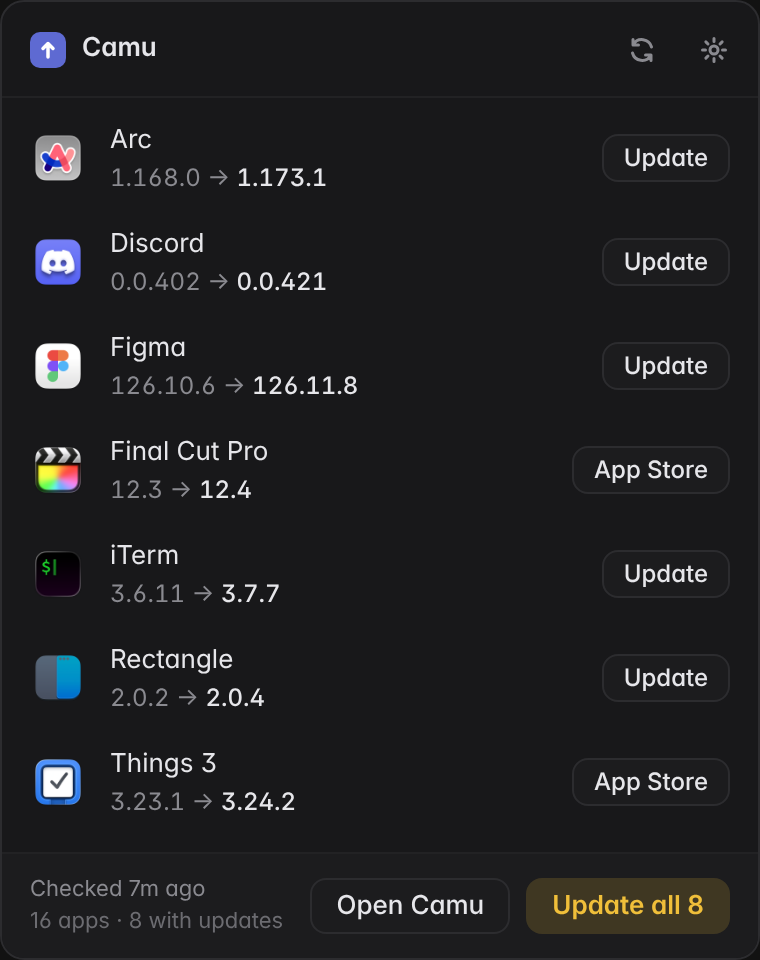
Right there in your menu bar
Click the menu bar icon for every pending update and Update all, without opening the window.
Install
- 1
Download the Camu disk image and drag Camu to Applications.
- 2
The first time you open it, macOS says it can't verify the developer. Open System Settings > Privacy & Security and click Open Anyway. You only do this once.
- 3
That's it. Camu checks for updates in the background and keeps itself up to date.
Camu is in beta.